Last Cell
Glossaries
| Term | Definition |
|---|---|
| Last Cell |
Glossaries - Excel Terminology
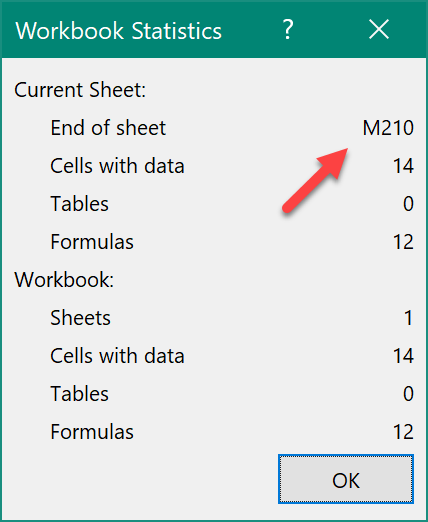
The Last Cell is a cell that is tracked by Excel. It is the cell that is at the intersection of the last used or formatted column in the worksheet and the last used or formatted row. The cell itself may be blank or unformatted. The location of the Last Cell is only accurate immediately after the workbook is opened or after it is saved. The location of the Last Cell on each worksheet is calculated when the workbook is recalculated when the workbook is saved. During a session, between opening and save events, the location moves down and to the right as cells are used or formatted. Deleting cells and formatting does not move it up and left. The location of the last cell can be determined using the keyboard shortcut Ctrl+End on any worksheet. Also, selecting Review » Workbook Statistics in the ribbon will display the Workbook Statistics dialogue box, and one statistic shown is the current location of the Last Cell, in the entry "End of sheet", as shown in the screenshot below.
|